
How to activate a free SSL certificate on hosting?

After purchasing hosting, the free SSL certificate may not be automatically activated, but it is quite easy to disable it from cPanel. Follow the detailed instructions:


1.  Log in to your hosting cPanel. On the right side, you will see that SSL is not active (see screenshot):
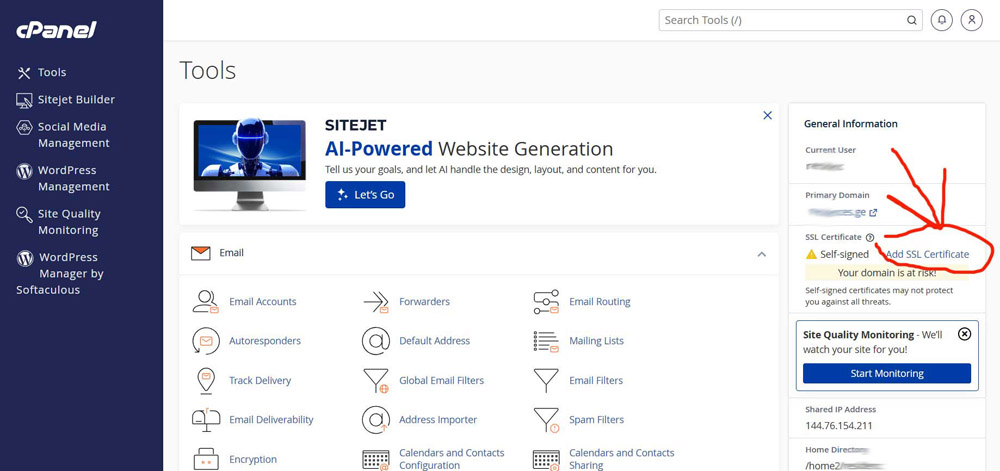
ssl არაა აქტიური


2.  Click on the appropriate button (see screenshot):
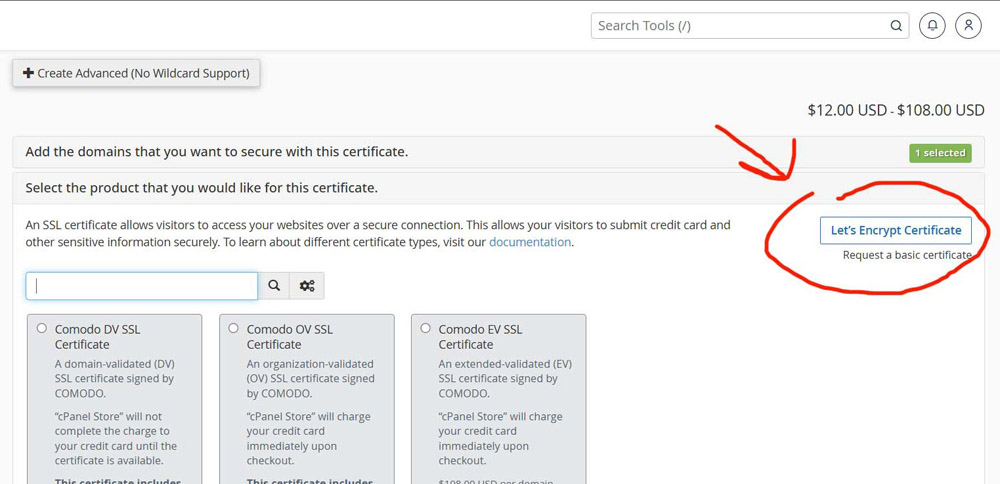
 
უფასი SSL-ის კაეტგორიაზე გადასვლა


3.  Select the condition and continue (see screenshot):
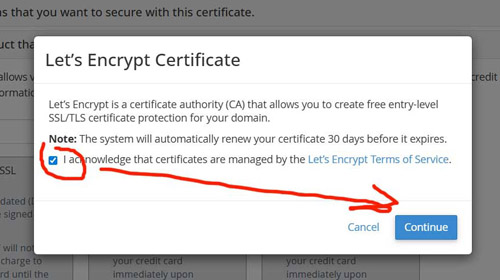
SSL პირობაზე Tანხმობა


4.  Check the fields shown in the image and wait until they turn green (see screenshot):
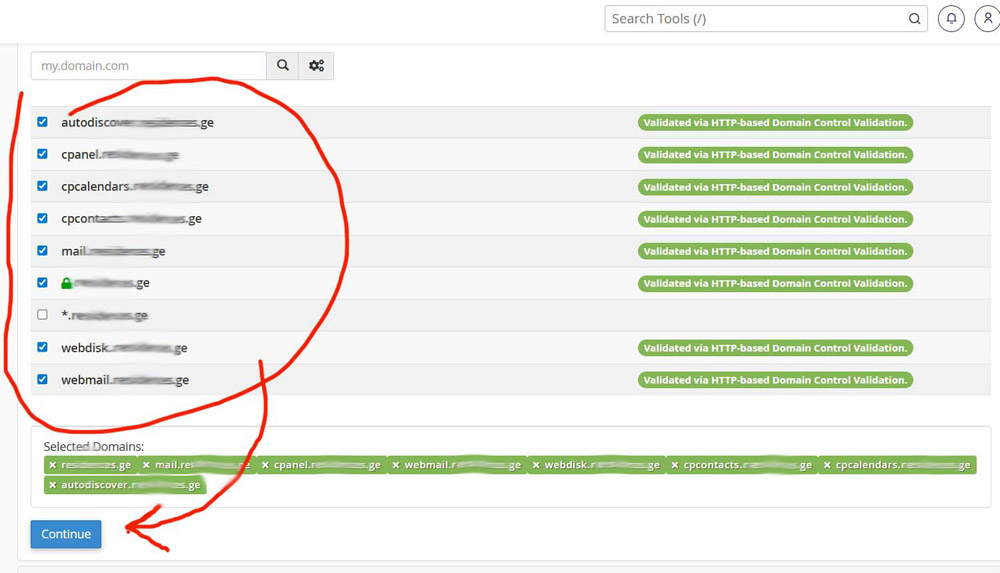
დომენზე SSL-ის გააქტიურების კატეგორიები


5.  To confirm, see the active statuses in the "Status" category (see screenshot):
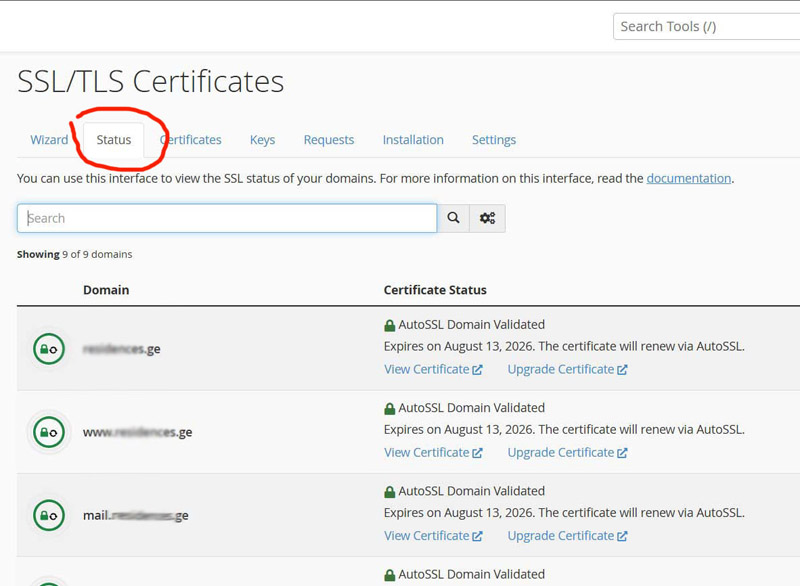
SSL სტატუსის ნახვა

  • SSL, SSL სერტიფიკატი
  • 0 Users Found This Useful
Was this answer helpful?

Related Articles

Create a site backup

The video is in Georgian, but it is useful to see it visually. You can find similar videos on...

SSL certificates

Why is an SSL certificate needed? HTML pages transmitted over the Internet via the HTTP protocol...

Uploading a site to cPanel

Before you place a site on a hosting, make sure that the domain is connected to the hosting. In...

Password reset / Replacement

It is easy to change your password on FindDomain.ge or even recover it if you forget it. You may...

Hosting and domain. How to choose?

  Hosting and Domain. I am sure that many people want to understand what hosting and...